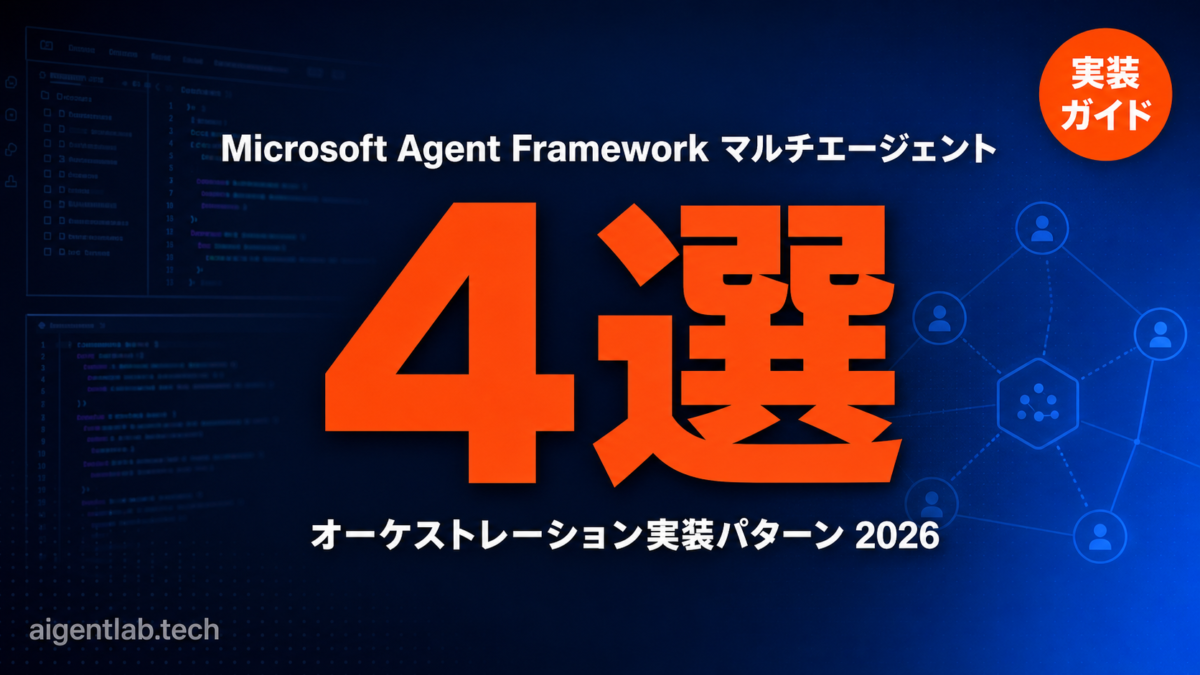
Microsoft Agent Framework(MAF)は、Semantic KernelとAutoGenを統合したMicrosoftの次世代エージェントSDKです。本記事では、MAFのAgent Framework(Workflows API)とSemantic KernelのAgent Orchestrationを組み合わせた、実践的なマルチエージェント実装パターン4選をPythonコード付きで解説します。
対象読者:LangGraphやCrewAIをすでに試したことがあり、Microsoft/Azureスタックでのエンタープライズ対応なマルチエージェント実装を検討している開発者・アーキテクト。
バージョン情報(2026年6月時点)
agent-framework1.8.1(PyPI)/semantic-kernel1.43.0(PyPI)
Semantic KernelのAgent Orchestration機能はexperimentalステージのため、GA前に変更が入る可能性があります(Microsoft Learnに明記)。本番環境への適用はAgent Framework WorkflowsのStableエンドポイントを使うことを推奨します。
Microsoft Agent FrameworkとSemantic Kernelの関係を整理する
2026年2月にGA(一般提供)となったMicrosoft Agent Frameworkは、「AutoGen + Semantic Kernelの直接の後継」と公式に位置づけられています(公式概要ページ)。2つの既存ライブラリはメンテナンスモードに移行しており、新規開発にはAgent Frameworkが推奨されます。
ただし、マルチエージェントオーケストレーションの文脈では2つの異なるAPIが存在します。
| API | パッケージ | ステータス | 用途 |
|---|---|---|---|
| Agent Framework Workflows(Functional / Graph) | agent-framework 1.8.1 |
Stable / Experimental | 明示的な実行制御・グラフベースのオーケストレーション・チェックポイント |
| Semantic Kernel Agent Orchestration | semantic-kernel 1.43.0 |
Experimental | Sequential / Concurrent / Handoff / GroupChatなどのパターン抽象化 |
本記事ではこの2層構造を踏まえ、実際の用途に応じたパターン選択フローと具体的なコード例を提示します。
インストールと環境セットアップ
まず必要なパッケージをインストールします。
# Agent Framework本体
pip install agent-framework

# Semantic Kernel(Agent Orchestrationパターンを使う場合)
pip install semantic-kernel

# Azure OpenAI / OpenAI どちらかを選択
pip install openai azure-identityAPIキーの設定例(.envは自動読込されないためload_dotenv()を明示的に呼ぶ必要があります):
from dotenv import load_dotenv
load_dotenv()  # Agent Frameworkは.envを自動読込しない(公式注記)

import os
# Azure OpenAI の場合
AZURE_ENDPOINT = os.environ["AZURE_OPENAI_ENDPOINT"]
AZURE_DEPLOYMENT = os.environ["AZURE_OPENAI_DEPLOYMENT"]
パターン1: Sequential(順次)オーケストレーション
Sequential パターンは、エージェントAの出力をエージェントBの入力として渡すパイプライン型です。ドキュメントの処理(要約→翻訳→QAチェック)や、段階的な情報精製に適しています。
Semantic Kernel Agent Orchestrationを使った実装(Experimental):
from semantic_kernel.agents import ChatCompletionAgent, SequentialOrchestration
from semantic_kernel.agents.runtime import InProcessRuntime
from semantic_kernel.connectors.ai.open_ai import AzureChatCompletion
from semantic_kernel.contents import ChatMessageContent

# 3エージェントを順次つなぐ(公式サンプルを参考に構成)
def build_agents():
    analyst = ChatCompletionAgent(
        name="AnalystAgent",
        instructions="製品説明から主要特徴・ターゲット・USPを抽出してください。",
        service=AzureChatCompletion(),
    )
    writer = ChatCompletionAgent(
        name="WriterAgent",
        instructions="抽出された情報をもとに150字以内のマーケティングコピーを作成してください。",
        service=AzureChatCompletion(),
    )
    editor = ChatCompletionAgent(
        name="EditorAgent",
        instructions="コピーの文法・明確さ・一貫したトーンを整えて最終版を出力してください。",
        service=AzureChatCompletion(),
    )
    return [analyst, writer, editor]

# 中間出力を観察するコールバック
def response_callback(msg: ChatMessageContent) -> None:
    print(f"[{msg.name}] {msg.content[:80]}...")

async def run_sequential():
    agents = build_agents()
    orchestration = SequentialOrchestration(
        members=agents,
        agent_response_callback=response_callback,
    )

    runtime = InProcessRuntime()
    runtime.start()

    result = await orchestration.invoke(
        task="環境に優しいステンレス製ボトル。24時間保冷。",
        runtime=runtime,
    )
    final = await result.get(timeout=30)
    print(f"最終出力: {final}")

    await runtime.stop_when_idle()

import asyncio
asyncio.run(run_sequential())いつ使うか:ステップ間に明確な依存関係があり、前のエージェントの出力を次が必ず参照する場合。LangGraphのStateGraphの線形版に相当します(比較はLangGraph v1.0 完全ガイドを参照)。
パターン2: Concurrent(並列)オーケストレーション
Concurrent パターンでは、同じタスクを複数エージェントが並列処理し、全結果を収集します。並列分析・アンサンブル判定・A/Bテスト的な多視点評価に最適です。
from semantic_kernel.agents import ChatCompletionAgent, ConcurrentOrchestration
from semantic_kernel.agents.runtime import InProcessRuntime
from semantic_kernel.connectors.ai.open_ai import AzureChatCompletion
from typing import Sequence
from semantic_kernel.contents import ChatMessageContent

# セキュリティ・パフォーマンス・コスト、それぞれ専門のレビュアー
security_agent = ChatCompletionAgent(
    name="SecurityReviewer",
    instructions="コードのセキュリティリスク(OWASP Top 10)を分析してください。",
    service=AzureChatCompletion(),
)
perf_agent = ChatCompletionAgent(
    name="PerfReviewer",
    instructions="コードのパフォーマンスボトルネックを特定してください。",
    service=AzureChatCompletion(),
)
cost_agent = ChatCompletionAgent(
    name="CostReviewer",
    instructions="API呼び出しコストと最適化ポイントを試算してください(試算ラベル付きで)。",
    service=AzureChatCompletion(),
)

results_store: list[ChatMessageContent] = []

def collect_callback(msg: ChatMessageContent) -> None:
    results_store.append(msg)

async def run_concurrent(code_snippet: str):
    orchestration = ConcurrentOrchestration(
        members=[security_agent, perf_agent, cost_agent],
        agent_response_callback=collect_callback,
    )
    runtime = InProcessRuntime()
    runtime.start()

    result = await orchestration.invoke(task=code_snippet, runtime=runtime)
    all_outputs = await result.get(timeout=30)

    print("=== 並列レビュー結果 ===")
    for r in results_store:
        print(f"[{r.name}]: {r.content[:120]}...")

    await runtime.stop_when_idle()
return all_outputsいつ使うか:独立したサブタスクを並列処理し、後段でアグリゲーションする場合。スループット重視の場面で効果的です。
パターン3: Agent Framework Functional Workflow(チェックポイント付き長時間タスク)
長時間実行タスクの中断・再開には、Agent Framework WorkflowsのFunctional APIが実用的です。@workflowと@stepデコレータで各ステップの結果がチェックポイントされます。Semantic KernelのAgent Orchestrationよりも本番グレードの制御が可能です。
詳細なCheckpoint設計はAIエージェント長時間実行・中断再開設計ガイド2026も参照してください。
from agent_framework.workflows.functional import workflow, step, WorkflowContext
from agent_framework.foundry import FoundryChatClient
from azure.identity import AzureCliCredential

credential = AzureCliCredential()
client = FoundryChatClient(
    project_endpoint="https://your-foundry.services.ai.azure.com/api/projects/your-project",
    model="gpt-5.4-mini",
    credential=credential,
)
agent = client.as_agent(name="ResearchAgent", instructions="調査タスクを段階的に実行します。")

@step
async def gather_data(ctx: WorkflowContext, topic: str) -> str:
    """データ収集ステップ - 結果がチェックポイントされる"""
    result = await agent.run(f"'{topic}'について主要な事実を5点収集してください。")
    return result

@step
async def analyze_data(ctx: WorkflowContext, raw_data: str) -> str:
    """分析ステップ - 前ステップ失敗時はここから再開可能"""
    result = await agent.run(f"以下のデータを分析し、インサイトを3点抽出してください:n{raw_data}")
    return result

@step
async def generate_report(ctx: WorkflowContext, analysis: str) -> str:
    """レポート生成 - human-in-the-loop割り込みポイント"""
    # ctx.request_info()でHITL割り込みも可能
    result = await agent.run(f"以下の分析を元にエグゼクティブサマリーを作成してください:n{analysis}")
    return result

@workflow
async def research_workflow(ctx: WorkflowContext, topic: str) -> str:
    # 各ステップの結果が自動チェックポイント → サーバー障害時は失敗ステップから再開
    data = await gather_data(ctx, topic)
    analysis = await analyze_data(ctx, data)
    report = await generate_report(ctx, analysis)
    return report

async def main():
    result = await research_workflow.run("AIエージェントの2026年市場動向")
    print(result)

asyncio.run(main())いつ使うか:実行時間が長い・外部APIへの依存がある・途中で人間の承認が必要なワークフロー。AutoGenからの移行にはAutoGen→MAF移行ガイドも参照してください。
パターン4: Handoff(委譲)オーケストレーション
Handoff パターンでは、エージェントが状況に応じて別エージェントへ動的に制御を委譲します。エスカレーション・専門家への転送・フォールバック設計に適しています。
from semantic_kernel.agents import ChatCompletionAgent, HandoffOrchestration, OrchestrationHandoffs
from semantic_kernel.agents.runtime import InProcessRuntime
from semantic_kernel.connectors.ai.open_ai import AzureChatCompletion

# トリアージ → 専門家への委譲構成
triage_agent = ChatCompletionAgent(
    name="TriageAgent",
    instructions=(
        "問い合わせを分類してください。n"
        "- 技術的な問題 → TechSupportAgent に引き継ぐn"
        "- 課金・契約の問題 → BillingAgent に引き継ぐn"
        "- その他 → 自分で回答n"
        "引き継ぐ場合は 'HANDOFF: {エージェント名}' と先頭に明記してください。"
    ),
    service=AzureChatCompletion(),
)

tech_agent = ChatCompletionAgent(
    name="TechSupportAgent",
    instructions="技術的なAPIエラー・統合問題を解決します。解決できない場合はEscalationAgentに引き継ぐ。",
    service=AzureChatCompletion(),
)

billing_agent = ChatCompletionAgent(
    name="BillingAgent",
    instructions="課金・サブスクリプション・請求の問題を処理します。",
    service=AzureChatCompletion(),
)

# ハンドオフルールを明示的に定義
handoffs = OrchestrationHandoffs()
    .add_many(source="TriageAgent", targets=["TechSupportAgent", "BillingAgent"])
    .add(source="TechSupportAgent", target="TriageAgent", condition="解決不能時")

async def run_handoff(user_query: str):
    orchestration = HandoffOrchestration(
        members=[triage_agent, tech_agent, billing_agent],
        handoffs=handoffs,
        agent_response_callback=lambda m: print(f"[{m.name}] {m.content[:60]}..."),
    )
    runtime = InProcessRuntime()
    runtime.start()

    result = await orchestration.invoke(task=user_query, runtime=runtime)
    final = await result.get(timeout=30)
    print(f"最終回答: {final}")
await runtime.stop_when_idle()いつ使うか:問い合わせの種類や状況が実行時まで不明で、動的なルーティングが必要な場合。フレームワーク比較の全体像はOpenAI Agents SDK・LangGraph・CrewAI・MAF 比較ガイドも参照してください。
パターン選択フロー:いつどれを使うか
4パターンの選択基準を整理します。
| ユースケース | 推奨パターン | APIの成熟度 |
|---|---|---|
| ステップ間に明確な依存関係がある線形パイプライン | Sequential | SK Experimental |
| 並列処理・複数視点の同時評価 | Concurrent | SK Experimental |
| 長時間実行・チェックポイント・HITL | Agent Framework Functional Workflow | MAF Stable |
| 動的ルーティング・エスカレーション | Handoff | SK Experimental |
重要な判断軸は「APIの成熟度」です。Semantic KernelのAgent Orchestrationは現時点でExperimentalのため、本番環境での利用にはAgent Framework WorkflowsのStable APIを優先することをMicrosoftも推奨しています(Microsoft Learn公式ドキュメント)。
6プロバイダーのワンライン切替
Agent FrameworkはAzure OpenAI・OpenAI・Claude(Anthropic)・Bedrock・Gemini・Ollamaを統一APIで切り替えられます(公式:Supported Providers)。
from agent_framework import agents as af

# Azure OpenAI
agent_azure = af.azure_openai(
    endpoint=os.environ["AZURE_OPENAI_ENDPOINT"],
    deployment="gpt-5.4-mini",
    name="AzureAgent",
    instructions="あなたは丁寧なアシスタントです。"
)

# OpenAI(直接)
agent_openai = af.openai(
    api_key=os.environ["OPENAI_API_KEY"],
    model="gpt-5.4-mini",
    name="OpenAIAgent",
    instructions="あなたは丁寧なアシスタントです。"
)

# Anthropic Claude(Claudeはこちら)
agent_claude = af.anthropic(
    api_key=os.environ["ANTHROPIC_API_KEY"],
    model="claude-opus-4-5",
    name="ClaudeAgent",
    instructions="あなたは丁寧なアシスタントです。"
)

# Ollama(ローカルモデル)
agent_ollama = af.ollama(
    host="http://localhost:11434",
    model="llama3.2",
    name="LocalAgent",
    instructions="あなたは丁寧なアシスタントです。"
)

# 使い方は全プロバイダーで共通
result = await agent_azure.run("パリで一番大きな都市はどこですか?")
LangGraphとの主な差分
LangGraphのStateGraphと比較して、MAFのAgent Framework Workflowsが持つ特徴的な違いは以下の通りです。
| 比較軸 | Agent Framework Workflows | LangGraph StateGraph |
|---|---|---|
| 状態管理 | セッションベース(サーバー側チェックポイント) | プロセスメモリ内(外部Checkpointサポートあり) |
| 型安全性 | 強い(message-level type validation) | TypedDict / Pydantic ベース |
| HITL | Functional: ctx.request_info() / Graph: RequestInfoExecutor | interrupt()アノテーション |
| エンタープライズサポート | Microsoft/Azure公式LTS | LangChain社によるコミュニティサポート中心 |
| プロバイダー対応 | 6プロバイダー統一API | LangChain接続経由(100以上) |
LangGraphとの詳細な比較はLangGraph v1.0 完全ガイドを参照してください。
まとめと次のステップ
Microsoft Agent Frameworkを活用したマルチエージェント実装の4パターンをまとめます。
- Sequential:線形パイプライン(SK Experimental)
- Concurrent:並列アンサンブル(SK Experimental)
- Agent Framework Functional Workflow:チェックポイント付き長時間タスク(MAF Stable・本番推奨)
- Handoff:動的ルーティング(SK Experimental)
本番環境への適用にはMAF Stable APIを優先し、SK OrchestrationはAPIが安定したタイミングで段階的に採用するのが現時点でのベストプラクティスです。AutoGenからの移行を検討している場合は移行ガイドも参照してください。